
ENTER TO WIN
WIN A 76 HIGHBOY
ENTER TO WIN
WIN A 76 HIGHBOY
ENTER TO WIN
WIN A 76 HIGHBOY
ENTER TO WIN
WIN A 76 HIGHBOY


81-93 Dodge Dash Edge CTS3 and Vintage Air Installation Kit
81-93 Dodge Dash Edge CTS3 and Vintage Air Installation Kit
81–93 Dodge Dash Edge CTS3 & Vintage Air Installation Kit
This kit provides the brackets, hardware, and instructions to modify your OEM 1981–1993 Dodge Ram dash bezel, delete the original upper message center, and mount an Edge CTS3 monitor in a clean, factory-looking location. Add an optional Vintage Air heat/cool controller with the CTS3, or run the Vintage Air controller as a stand-alone mod while leaving the message center intact.
A touchscreen CTS3 consolidates gauges in one place and supports add-ons like on-screen toggles and a backup camera. Pairing the Vintage Air controller with our firewall panel enables a complete Gen5 HVAC upgrade path.
Edge CTS3 monitor and Vintage Air controller are not included — both sold separately via the links below.
Vehicle Fitment (YMM)
| Year | Make | Model | Notes |
|---|---|---|---|
| 1981–1993 | Dodge | Ram 150 / 250 / 350 (2nd-gen body style) | Requires OEM-style 81–93 dash bezel |
Designed around the 1981–1993 Dodge Ram dash architecture. If your bezel has been previously modified, send photos and we’ll confirm fitment.
Key Specs
- Function: Replaces the upper “message center” area (if desired) to mount an Edge CTS3; optional mount for Vintage Air controller.
-
Configuration Options:
- CTS3 Only — message center delete + CTS3 mount.
- CTS3 + Vintage Air — message center delete + both mounts.
- Vintage Air Only — stand-alone controller mount; message center can remain.
- Compatibility: Works with future Gen5 HVAC conversions (requires separate firewall panel & HVAC kit).
- Install Difficulty: Light trimming/drilling; uses as many stock mounting points as possible.
- Finish/Material: Brackets designed for secure, low-profile mounting behind the faceplate (faceplate covers trimmed areas).
Related / Required (sold separately):
Edge CTS3 Monitor — available separately (click)
Vintage Air Controller — AVAILABLE HERE
Firewall Panel | Gen5 HVAC System — Gen5 system
What’s Included
- Dash modification bracket set (vehicle-specific)
- Mounting hardware
- Installation instructions
Edge CTS3 monitor, Vintage Air controller, firewall panel, and Gen5 HVAC system are not included.
Installation
- Disconnect the battery and remove the dash bezel.
- Mark and perform the required trimming/drilling per the included instructions.
- Mock-up brackets to confirm alignment with OEM mounting points; adjust as needed.
- Install brackets and hardware; verify faceplate coverage of all trimmed areas.
- Mount the CTS3 and/or Vintage Air controller; route wiring per the device manuals.
- Reinstall the bezel, reconnect battery, and test CTS3 display and controller function.
Moderate DIY skill recommended. If you’re not comfortable modifying the bezel, we suggest professional installation.
Shop Notes
- The CTS3 supports multiple virtual gauges, on-screen toggles, and camera inputs; see Edge documentation for add-ons.
- Pairing the Vintage Air controller with our firewall panel enables a clean Gen5 HVAC conversion path.
- Ask us about FFS in-house install if you’d prefer a turnkey solution.


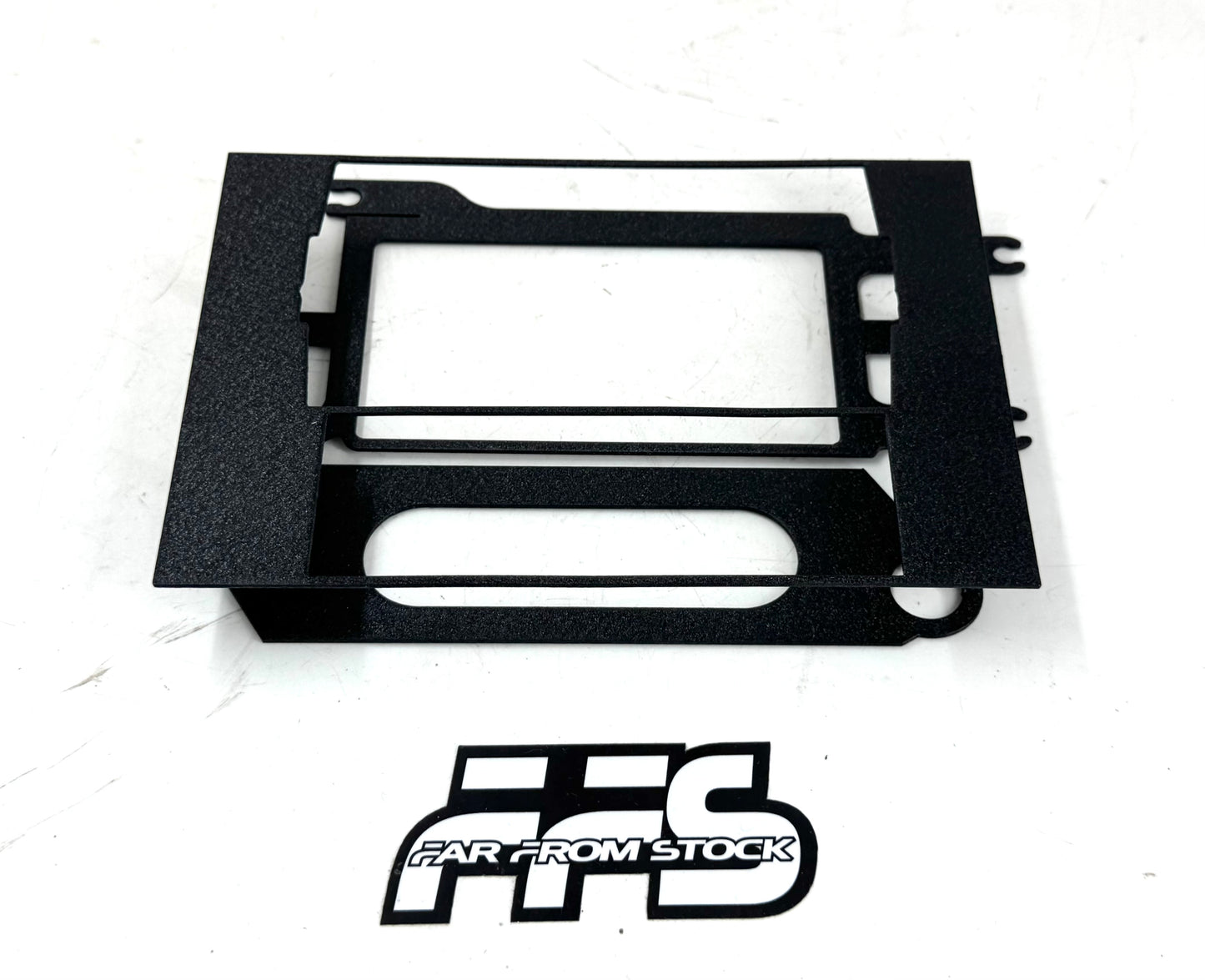

81-93 Dodge Dash Edge CTS3 and Vintage Air Installation Kit
81–93 Dodge Dash Edge CTS3 & Vintage Air Installation Kit
This kit provides the brackets, hardware, and instructions to modify your OEM 1981–1993 Dodge Ram dash bezel, delete the original upper message center, and mount an Edge CTS3 monitor in a clean, factory-looking location. Add an optional Vintage Air heat/cool controller with the CTS3, or run the Vintage Air controller as a stand-alone mod while leaving the message center intact.
A touchscreen CTS3 consolidates gauges in one place and supports add-ons like on-screen toggles and a backup camera. Pairing the Vintage Air controller with our firewall panel enables a complete Gen5 HVAC upgrade path.
Edge CTS3 monitor and Vintage Air controller are not included — both sold separately via the links below.
Vehicle Fitment (YMM)
| Year | Make | Model | Notes |
|---|---|---|---|
| 1981–1993 | Dodge | Ram 150 / 250 / 350 (2nd-gen body style) | Requires OEM-style 81–93 dash bezel |
Designed around the 1981–1993 Dodge Ram dash architecture. If your bezel has been previously modified, send photos and we’ll confirm fitment.
Key Specs
- Function: Replaces the upper “message center” area (if desired) to mount an Edge CTS3; optional mount for Vintage Air controller.
-
Configuration Options:
- CTS3 Only — message center delete + CTS3 mount.
- CTS3 + Vintage Air — message center delete + both mounts.
- Vintage Air Only — stand-alone controller mount; message center can remain.
- Compatibility: Works with future Gen5 HVAC conversions (requires separate firewall panel & HVAC kit).
- Install Difficulty: Light trimming/drilling; uses as many stock mounting points as possible.
- Finish/Material: Brackets designed for secure, low-profile mounting behind the faceplate (faceplate covers trimmed areas).
Related / Required (sold separately):
Edge CTS3 Monitor — available separately (click)
Vintage Air Controller — AVAILABLE HERE
Firewall Panel | Gen5 HVAC System — Gen5 system
What’s Included
- Dash modification bracket set (vehicle-specific)
- Mounting hardware
- Installation instructions
Edge CTS3 monitor, Vintage Air controller, firewall panel, and Gen5 HVAC system are not included.
Installation
- Disconnect the battery and remove the dash bezel.
- Mark and perform the required trimming/drilling per the included instructions.
- Mock-up brackets to confirm alignment with OEM mounting points; adjust as needed.
- Install brackets and hardware; verify faceplate coverage of all trimmed areas.
- Mount the CTS3 and/or Vintage Air controller; route wiring per the device manuals.
- Reinstall the bezel, reconnect battery, and test CTS3 display and controller function.
Moderate DIY skill recommended. If you’re not comfortable modifying the bezel, we suggest professional installation.
Shop Notes
- The CTS3 supports multiple virtual gauges, on-screen toggles, and camera inputs; see Edge documentation for add-ons.
- Pairing the Vintage Air controller with our firewall panel enables a clean Gen5 HVAC conversion path.
- Ask us about FFS in-house install if you’d prefer a turnkey solution.